Switch Theme:

Starting to paint Tau, need advice  [RSS] Share on facebook Share on Twitter Submit to Reddit
»
Author Message
Advert


Forum adverts like this one are shown to any user who is not logged in. Join us by filling out a tiny 3 field form and you will get your own, free, dakka user account which gives a good range of benefits to you:
  • No adverts like this in the forums anymore.
  • Times and dates in your local timezone.
  • Full tracking of what you have read so you can skip to your first unread post, easily see what has changed since you last logged in, and easily see what is new at a glance.
  • Email notifications for threads you want to watch closely.
  • Being a part of the oldest wargaming community on the net.
If you are already a member then feel free to login now.


Made in gr
Fresh-Faced New User


Hello everyone. I wanted to start a Tau army for a while now and I finally got my codex and a first box to start with.
So, I got a pathfinder team, cause I liked the drones and lots of bits that I could mess around with. Problem was that even though I set my mind to Vior'la sept, I read fluff-wise, that even though there are some standard armor colors, I could change them with the excuse of being according to the environment. I chose graveyard earth (dunno the new GW line name) and decided to go with catachan green for the cloth parts. I did like the theme (but I didn't). That was because the whole model was too dark. I tried going 2:1 graveyard earth:snakebite leather but still it was too dark. My initial thoughts were that the green was doing all the harm along with the earth being a dull color.
Here is an example of my first pathfinder:
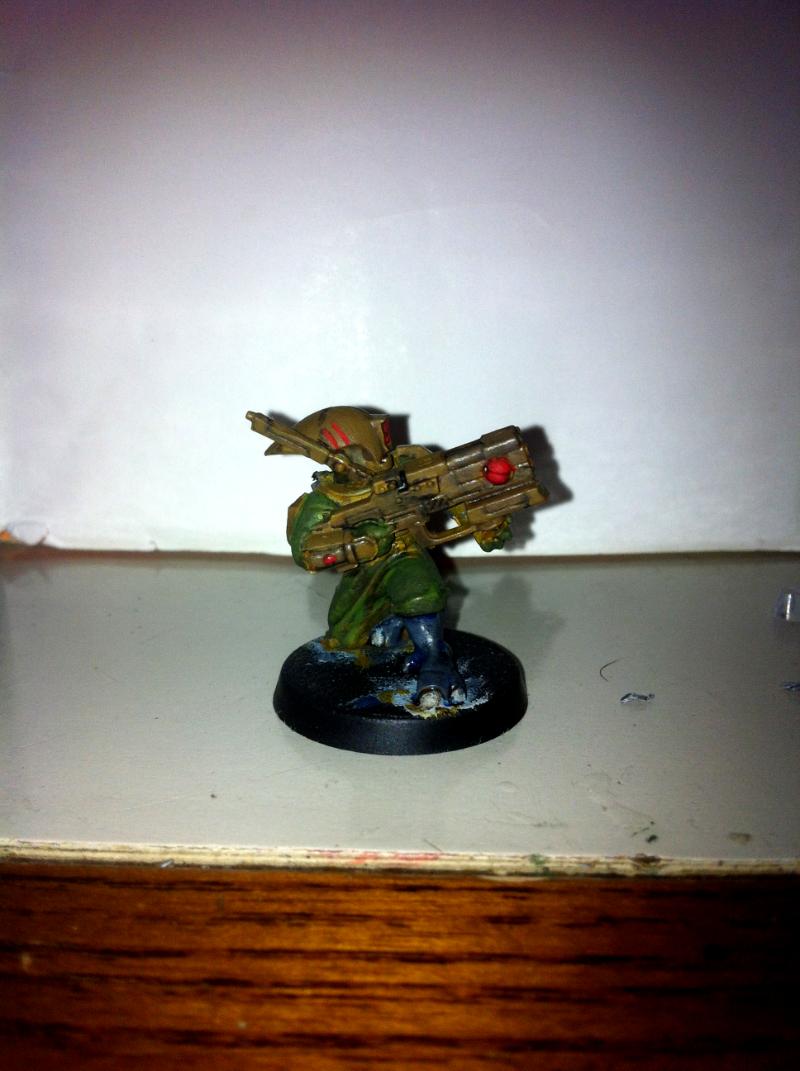

The pants on this one are 1:1 scorpion green:catachan green

And another one
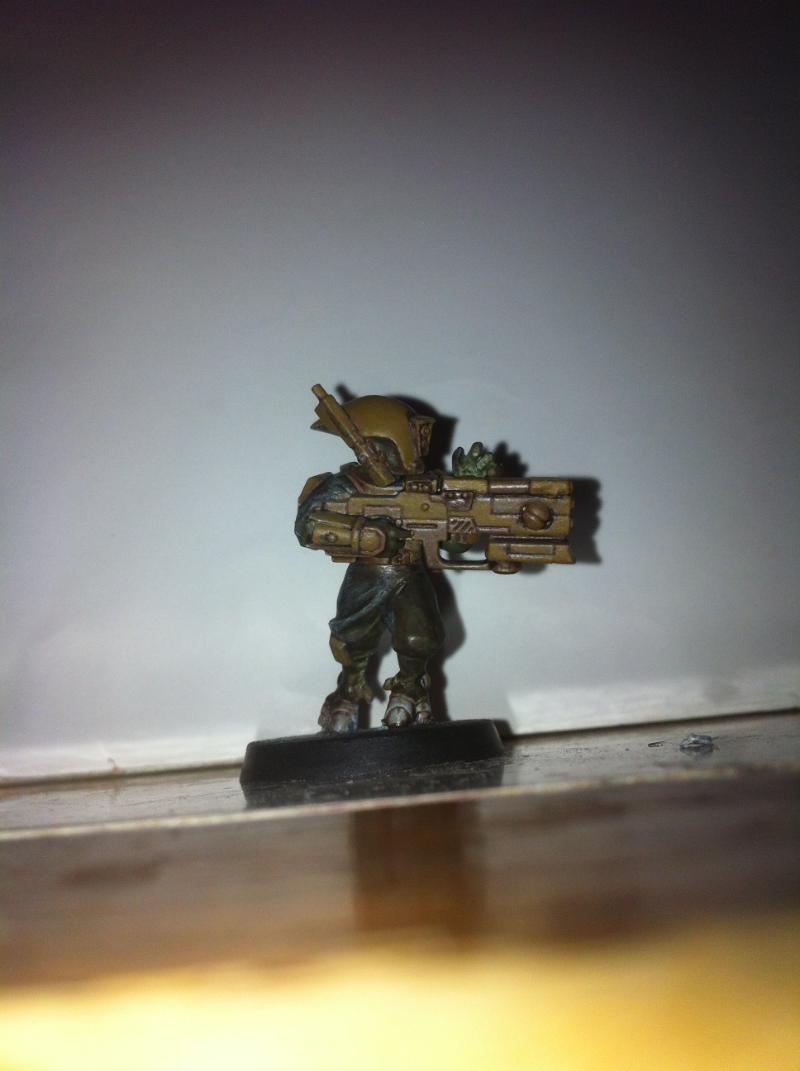

Cloth here is catachan with a heavy wash of devlan and some highlights

Please keep in mind that these models are not finished, but need a lot of work once my color theme is decided. Finally what I would like to ask is how I can keep the main idea for painting my models with an earthly tone (mudland/desert environment) and still make my models brighter?

This message was edited 4 times. Last update was at 2013/06/01 11:06:08


2500 2500 - :skaven: 3500  
   
Made in gb
Painting Within the Lines


Highlights should help pick up the tone, and metallics should do the same.

And as for sticking for one sept, it makes no difference to the colour scheme save the the rank markings. Tau always wear colours to blend into surroundings, unless you are going for a farsight enclave. So you can go mad!
   
Made in ca
Hard-Wired Sentinel Pilot


Somewhere just South of nowhere

I agree with Division: Highlights will help, and adding a bit of metal (some sort of brass or gold, covered with a wash) will really lighten it up. I like the feet in the second picture. I added a blue part to all my pulse weapons along the top of the rifles, and part of their antenna on their helmets.

Armies
(2000pts) (2500pts) (5000pts) (6000pts) Adeptus Titanicus (1500pts)
DA:80-S+GM++B++IPW40K06-D++A+++/areWD180R+++T(M)DM+
Projects: Warhound and Stuff  
   
Made in us
Trustworthy Shas'vre


DFW area Texas - Rarely

You could also try moving up a shade or two in brightness in a similar color, then use a wash to bring it back a bit.

Then a bit of lighter color highlighting (as the others had suggested) would bring out the details and brighten it a bit.

best of luck, and keep us posted!!!

DavePak
"Remember, in life, the only thing you absolutely control is your own attitude - do not squander that power."
Fully Painted armies:
TAU: 10k Nids: 9600 Marines: 4000 Crons: 7600
Actor, Gamer, Comic, Corporate Nerd


Forum Index » Painting & Modeling
Go to: