Switch Theme:

Need help evaluating image post processing.  [RSS] Share on facebook Share on Twitter Submit to Reddit
»
Poll
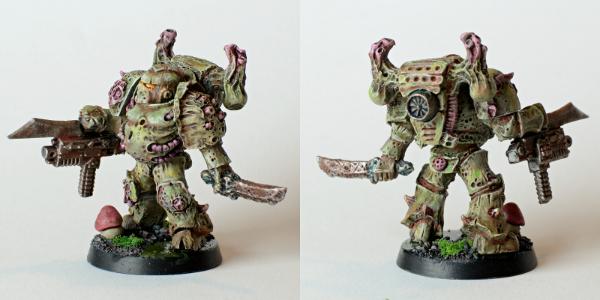
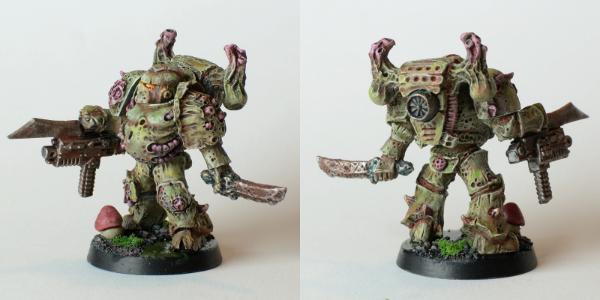
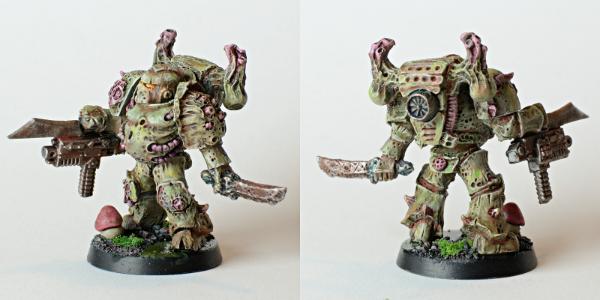
Which image looks best on your computer?
Top image 70% [ 7 ]
Middle image 10% [ 1 ]
Bottom image 20% [ 2 ]
Total Votes : 10
Author Message
Advert


Forum adverts like this one are shown to any user who is not logged in. Join us by filling out a tiny 3 field form and you will get your own, free, dakka user account which gives a good range of benefits to you:
  • No adverts like this in the forums anymore.
  • Times and dates in your local timezone.
  • Full tracking of what you have read so you can skip to your first unread post, easily see what has changed since you last logged in, and easily see what is new at a glance.
  • Email notifications for threads you want to watch closely.
  • Being a part of the oldest wargaming community on the net.
If you are already a member then feel free to login now.


Made in se
Rookie Pilot


Vasteras, Sweden

Hi guys,

I happened to look at my recent images on my laptop and I discovered that what looks good on my desktop computer (with very good monitor for accurate color rendering) actually looked crap on my laptop. All tonality was gone from the bright areas and it looked almost as if I had given the entire model a liberal white drybrush to finish it off. I made some experiments with brightness levels of the images and presented below are three versions of the same image at different brightness.

As I do these images with you as the intended audience could you please tell me what image looks best on your screen?


Made in gb
40kenthus


Manchester UK

I see what you are getting at, but who's to say our monitors are correctly calibrated?!

My laptop at home is great, because I have a calibrator and I use it for my photography sideline, but my work screens aren't particularly good and I really can't see much of a difference apart from the back pack shadow and the grass. And even then it's very little.

The mini looks bloody great though, regardless!

Member of the "Awesome Wargaming Dudes"


Made in se
Rookie Pilot


Vasteras, Sweden

I'm pretty sure most monitors aren't and that's kind of my point.

Thing is just like you i dabble with photography and I do all my image processing on a desktop computer with a calibrated EIZO monitor and I usually make some effort to make the images as true to the models as possible. This model is the brightest I've painted for a while and it when I looked at it on my uncalibrated laptop screen and on that screen so much detail was lost. All bright areas are washed out...

So the purpose of this poll is to find out what looks good on what ever most people are using. Is my laptop the exception or the rule? If it is the rule I will try to put all relevant detail in less bright areas in the future.

Thanks a lot! I just started painting regularly again after a looooong break and I think this might be my best work since the reboot!

This message was edited 1 time. Last update was at 2014/03/07 11:37:03


Made in gb
Rotting Sorcerer of Nurgle


Portsmouth UK

IMO the top one has deeper / richer colours.
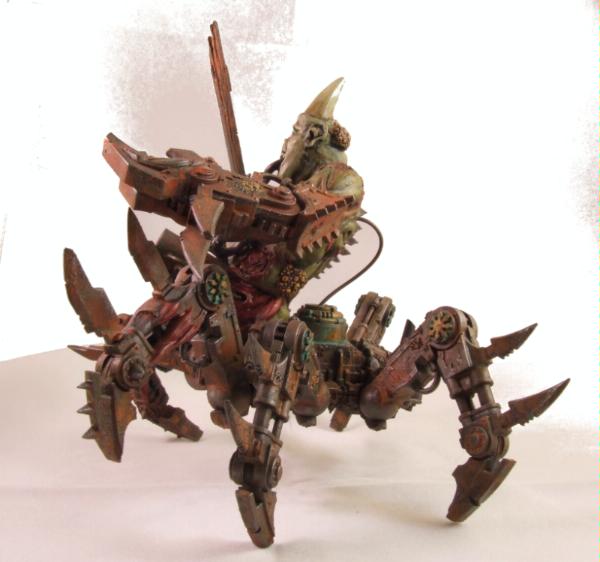
Re monitors, I used my home computer to clean this up in photoshop:

I couldn't see the crappy results until I got to work - admittedly I was using an LCD TV rather than a proper monitor.
Just shows how different screens show different results.

Check out my gallery here
Also I've started taking photos to use as reference for weathering which can be found here. Please send me your photos so they can be found all in one place!! 
   
Made in us
Boosting Ultramarine Biker


Illinois, USA

Compression is the culprit. Almost any web site you upload pics to will compress the files to some extent. Add to that the size limits imposed by said web site, and you lose a lot of data. Color space can play a role as well. I shoot, process and print in Adobe RGB, because of the bigger color space, however, web sites use the standard sRGB color space. I always have to remember to convert pics to sRGB before uploading. You just have to upload, see what needs to be tweaked, then re-upload til it looks the way you want. My monitor is calibrated, but it won't make a difference when uploading to a web site, especially a web site hosting a ton of pics, like Dakka, where files can get uber compressed.
   
 
Forum Index » Painting & Modeling
Go to: