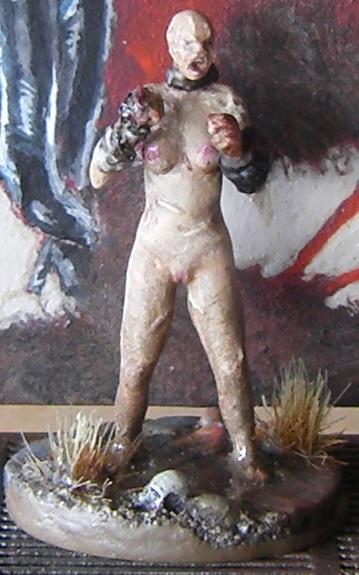
Since you're looking for skin color, too, I've had comments that my Super Mutant skin looks unhealthy and necrotic, so this might be of interest to you:
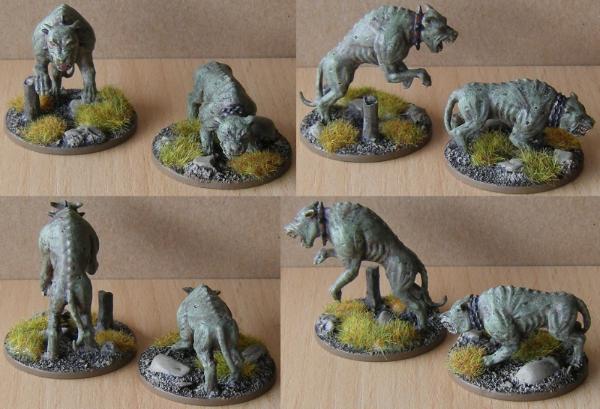
It's really easy to paint, too. Just a base layer of Deathworld Forest, a heavy wash of Reikland Fleshshade, and finally a layer each of Deathworld Forest and Nurgling Green that were stippled on moderately (to get an overall green appearance) and lightly (for highlights) respectively.
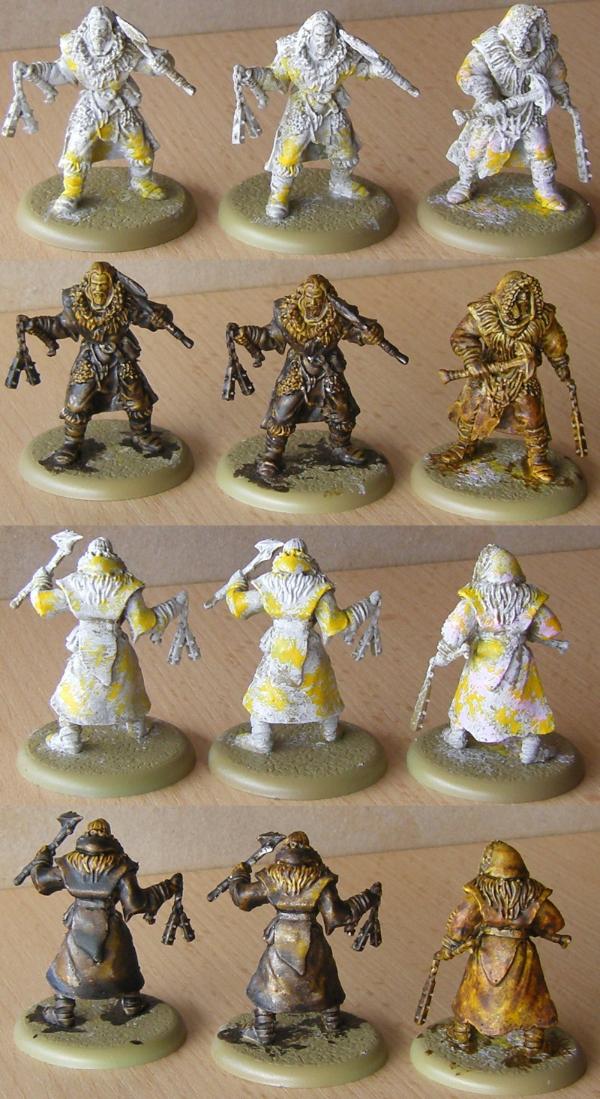
My current worn leather recipe which might also come in handy for grime uses Snakebite Leather Contrast Paint:
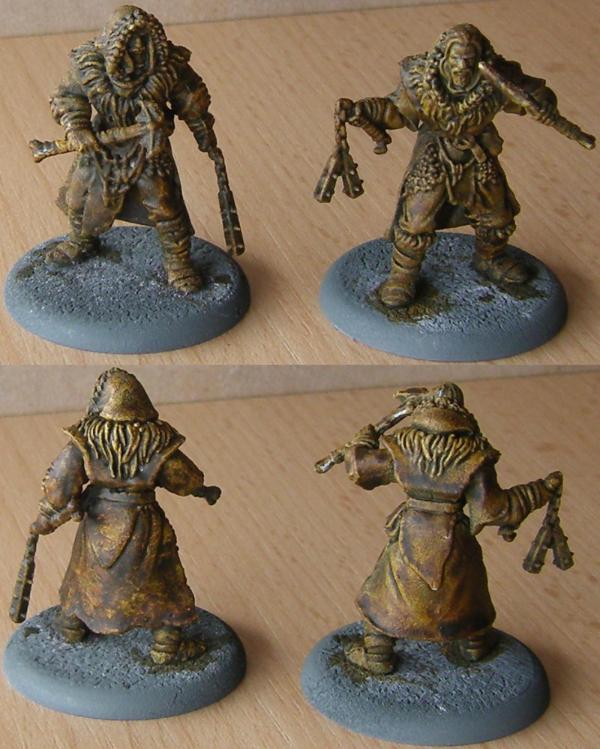
Copying the picture's description: Both models are drybrushed with Pallid Wych Flesh and have a coat of Snakebite Leather, but the one on the left has additional patches of red brown and olive under the Contrast paint.
The trick to getting the mottled look is to apply the Contrast paint heavily on the area to properly fill the recesses, than take away all the excess paint with the brush again. In this way you will get dark recesses and tinted higher areas. For mud and grime it's worth thinking about leaving some spots with a thicker coat of paint so they dry dark. You can also prepare such areas with Typhus Corrosion first as a dark surface will remain dark when you apply Contrast paint, no matter how thin, and the grit in it gives you a little texture if that's what you're after.
For a bit of a dustier appearance, you can lightly stipple or drybrush various browns:
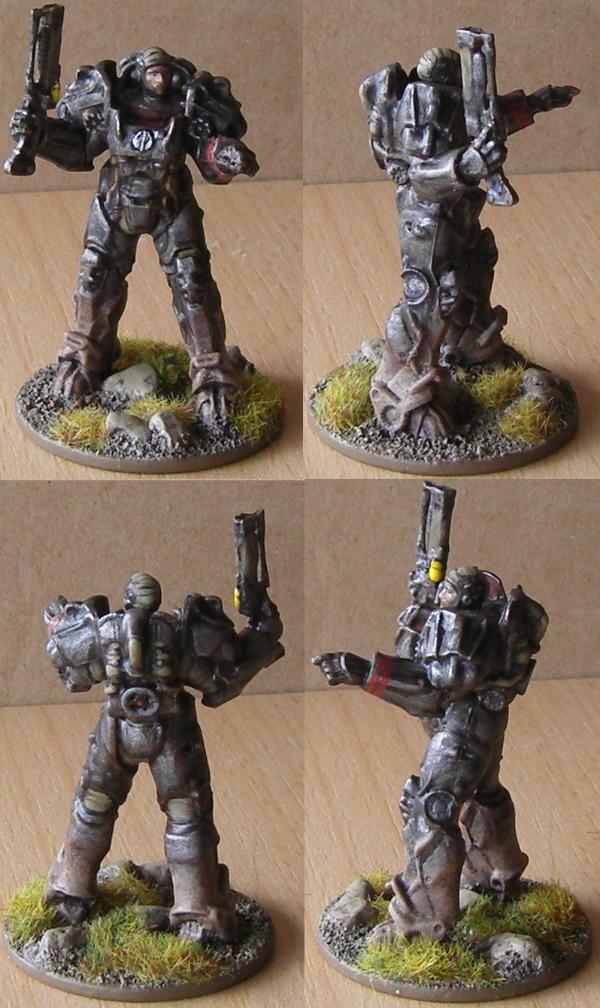
This one involves Tuskgor Fur (for a reddish tint), Steel Legion Drab (for an overall earthy brown look) and Zandri Dust (for highlights). The idea was to paint it on a little heavier around the feet and go ever lighter as it goes up. Additionally I chose not to cover all the red brown to get a little contrast on the dirty parts as full coverage can make it look a little samey.
Here's another take on this without the red tint, instead using Steel Legion Drab, Zandri Dust and Karak Stone.
Picture is NSFW, thus spoilered:
Here, too, you can add Typhus Corrosion as a dark, gritty brown that can be used to give the impression of fresher mud. You'll probably only want it in some spots and small patches with drier, lighter browns around for contrast.
As far as dirt patterns go, dirt looks different on clothes than on non-soaky surfaces. For the latter splashes of any shape, round or ragged, long or short, work pretty well. There's not much you have to pay attention t.. For clothes, consider whether you want wet or dry dirt. Dry is similarly no big deal, but wet dirt stains the area it lands on its own color while water soaking into the surrounding fabric will leave a (usually concentric) darker cloth color around the actual stain, giving you two distinct areas.
Finally what's probably the best advice I can give: don't overdo it. Good dirt is always there to give character to the actual color scheme and complement it. It may be tempting to go overboard with grime and dirt to fit the idea of a really filthy habitat, but this will inevitably lead to the model becoming a mess of barely discernible features. It's not the worst idea go go easy at first and see how it looks. You can always add more dirt later. Cleaning it up again, that's a lot more work.
Hope that does you some good.