Forum adverts like this one are shown to any user who is not logged in. Join us by filling out a tiny 3 field form and you will get your own, free, dakka user account which gives a good range of benefits to you:
No adverts like this in the forums anymore.
Times and dates in your local timezone.
Full tracking of what you have read so you can skip to your first unread post, easily see what has changed since you last logged in, and easily see what is new at a glance.
Email notifications for threads you want to watch closely.
Being a part of the oldest wargaming community on the net.
If you are already a member then feel free to login now.
Any tips and tricks to posting my work? Like closeups, grouping, etc? What makes it easy and clean for you?
Or i will end up making gallery's for each model then gallerys of units,battle mock ups, And use of backgrounds and semi scaled(learning) battlefields that I custom make.
Clear in focus well lit pictures is your starting point. You don’t need a lightbox, but they help. You don’t need a fancy camera, just good light and something to brace/hold it steady.
Depending on the light/camera, you might need some post processing. Even if it’s just a bit of white ballance.
I’d say set up galleries by army/project.
I’d use a photo editor (PhotoScape personally) to make a collage so you can have multiple angles/zooms/etc all together in one pic.
Big army/action shots are always fun, but it can be hard to pick out details and specifics.
Welcome to Dakka. Looking forward to seeing what you have to share.
Nevelon wrote: Clear in focus well lit pictures is your starting point. You don’t need a lightbox, but they help. You don’t need a fancy camera, just good light and something to brace/hold it steady.
Depending on the light/camera, you might need some post processing. Even if it’s just a bit of white ballance.
I’d say set up galleries by army/project.
I’d use a photo editor (PhotoScape personally) to make a collage so you can have multiple angles/zooms/etc all together in one pic.
Big army/action shots are always fun, but it can be hard to pick out details and specifics.
Welcome to Dakka. Looking forward to seeing what you have to share.
I knew I needed a lot of work on my photography, thank you so much for the advice. Maybe you can help me out one day and give me some good helpful criticism. I'm in the mountains here and literally have to drive a while to any hobby shop so it's hard to participate. And my friend recommended forums. And shoot was he right.
I’m far from the best painter here, but can help where I can. Looking at the pics you have uploaded in the gallery you are doing pretty well with the brush!
For feedback you can either post question in this forum, or you could start a blog over in that section of the board. Probably better visibility here, but the continuity of a blog has some advantages. But it can be hard to keep posting regularly and keep people interested and replying.
We also have a community competition every month with different themes. Next month is the annual Halloween Special. The main restriction is that you need to start and finish the piece in the course of the month. But we’re a supportive group and will help answer any questions, offer advice, and help support and inspire.
Nevelon wrote: I’m far from the best painter here, but can help where I can. Looking at the pics you have uploaded in the gallery you are doing pretty well with the brush!
For feedback you can either post question in this forum, or you could start a blog over in that section of the board. Probably better visibility here, but the continuity of a blog has some advantages. But it can be hard to keep posting regularly and keep people interested and replying.
We also have a community competition every month with different themes. Next month is the annual Halloween Special. The main restriction is that you need to start and finish the piece in the course of the month. But we’re a supportive group and will help answer any questions, offer advice, and help support and inspire.
I am all for it!!! Once I get all my current projects up I can begin work again. I stay home with my wife so we have the time. Maybe once I get more involved. But for the contest, sign me up!!
Like Nev said, and you should listen as he's been around the block and is one of the most diligent posters in the blog section, start up a blog. Post what you have when you can and take a look around at other blog pages. The monthly challenge is great motivation and fun to take part in. Nev runs that, too.
I dig your C'tan and kroxigor. That stormcast prosecutor is straight off a Judas Priest album. I love it.
This message was edited 1 time. Last update was at 2024/09/26 04:23:11
Nevelon and youwashock pretty much covered it. I would add that, when photographing minis, a plain background works best, by keeping the focus on the model.
Also, consider joining the monthly challenge. Both my painting and photography have improved dramatically since I started entering, and the (very light) competition keeps me motivated.
Like Nev said, and you should listen as he's been around the block and is one of the most diligent posters in the blog section, start up a blog. Post what you have when you can and take a look around at other blog pages. The monthly challenge is great motivation and fun to take part in. Nev runs that, too.
I dig your C'tan and kroxigor. That stormcast prosecutor is straight off a Judas Priest album. I love it.
oh wow thank you! C'tan was my first 40k big dude and the Kroxigor's are my selected style to master. and Prosecutor was fun with NMM colored metals and super heated metal. Any tips?
Gosh i'm nervous about a blog. took me 1.4 years to even join a forum XD My wife had to push me to do it. And I am thankful!
Automatically Appended Next Post:
JoshInJapan wrote: Nevelon and youwashock pretty much covered it. I would add that, when photographing minis, a plain background works best, by keeping the focus on the model.
Also, consider joining the monthly challenge. Both my painting and photography have improved dramatically since I started entering, and the (very light) competition keeps me motivated.
I most definitely will be in October. Don't want to rush myself.
Today I removed my beer cans and table "art" and shot some pics of my flesh eater courts. and then tried my hand at some editing on my AGK on RTG so hopefully it shows some improvement. heres a C'tan I edited.
This message was edited 2 times. Last update was at 2024/09/26 16:57:17
My tip would be to go to a photography store and buy atleast a lighting setup people use for vlogs etc, some of them are ring formed, some of them have customizable arms (I couldn't choose so bought both) which are great for this type of photography, as far as I know all of them have light-type options being warm (reddish) to cold (blueish) lighting that give a photo a completely different look, best is to go with colder lighting (called natural lighting)
Set up your "photobooth" by using a neutral backdrop such as a piece of dark cloth (that doesn't reflect) and do so in a location that doesn't have a bright lightsource (windows etc) behind them (photographing against lighting doesn't work)
Best position for lighting equipment is probably from above, but not every rig can do this, some people buy so called lightboxes for this but those can be expensive and more importantly difficult to use for larger minis you like to photograph from certain angles (lower angle is generally best for a photo, sometimes that may mean you have to put the mini on a raised platform too).
Then there is the camera type, I have my own issues with this, a lot of people use their smartphone but if you don't have one (such as I) a macrolense photocamera is better than a normal or zoomlense camera (I tend to use the latter because its the only cam I have that doesn't run on batteries, but have been considering going back to using my older macrolense camera, or buying a new macrolense camera -_- if I can find an occasionpiece)
Photo editting is relatively simple, you don't really need the latest photoshop or anything unless you enjoy adding effects, or the latest AI designer programs if you enjoy sharpening everything properly etc, I have been using Irfanview for probably as long as it exists now and it has never disappointed me.
All I tend to do (and what works well) is just three tweaks being; lowering the gamma threshold, slightly upping the contrast and resizing the image to 1200 and that seems to do the trick. (I don't have internet on my worklaptop at home so cannot use AI to begin with but anyone that isn't a luddite and does have internet, photography is arguably made so simple by AI programs these days that a baby can make a mini dropped into a random paint bucket look like a golden demon entry)
Hope this all helps.
"Why would i be lying for Wechhudrs sake man.., i do not write fiction!"
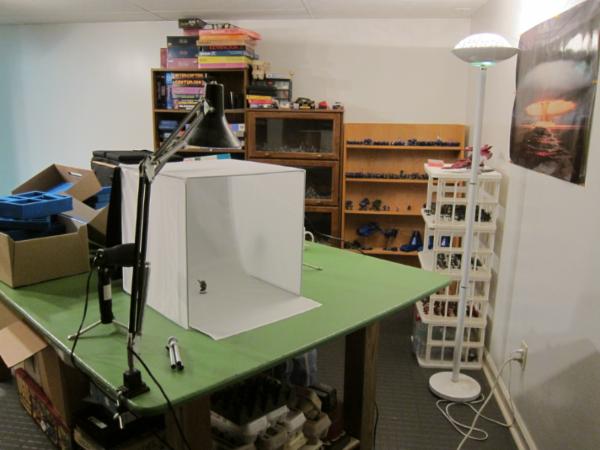
Depending on size and extras, you can get something similar for $50-ish on Amazon. Mine came with 4 backdrops, the side lights, little tripod, and the ability to fold up nice for storage.
Full disclosure: you can get the same results out of a cardboard box with holes cut out, covered with parchment paper, and some desklamps with good bulbs.
The important things you get from this are diffuse light. You do not want harsh lights shining directly on the mini. This will lead to shadows, which will obscure what you are trying to display. You want multiple sources, from multiple angles, and a lot of it.
You want to focus on the object, not the background. If you don’t have a backdrop, be sure the bakground is fuzzy enough out of focus that it is not distracting. Obviously, work in progress pictures you are just going to snap at the workbench, but for formal finished pics, make sure they are staged correctly.
One advantage to having tons of light is that there is less worry about long shutter times. So you might not need a tripod or a timer. In an ideal world you use both. The tripod for stability, and the timer so the jiggle of you hitting the shutter button doesn’t move the camera. I just brace my camera on a little box, as I want to change the angle up.
I have a point and shoot Cannon S110 I use for minis. It’s an old hand-me-down from my dad, but does good work. I think there are advantages to having a camera with dedicated settings and an actual lens, not just digital magic. That said, most phones these days pack in the megapixles, so for just sharing jpegs on the web, do the job just fine. You can even get tripod adapters to hold them (one came with my lightbox)
Thank you for this advice. It's a lot to unpack and I do believe I will be making a light box. Tons of light is not an issue I did end up finding a superb desk lamp while thrifting with the wife so now I can use my light brick for frontal and have two adjustable top lights and 1 is a led ring. So I'll need to be doing some cleaning in the garage it seems.
Nev, Youwashock, Leopold and Josh offered some great tips and covered the most of it already, but to add my two cents:
Firstly, the Warhammer Community's photo guide is not half bad. It has some great tips and covers a lot of stuff from the very basics to a bit more advanced stuff.
You can find it here.
I'm by no means a pro photographer, but here's what I have found to be most important (take them with a grain of salt):
- Get the whole model in focus. This might hard when the model is large or you have a big unit, especially with phone cameras with small lenses
- Make sure that the light is as neutral as possible (close to daylight). Around 5000-6000 Kelvin is usually good, depending on your space. Light provided by reading lamps is too yellow.
- White balance. If you are using a modern phone camera, they usually do this for you. If you are using a DSLR, getting the white balance correctly is a must. I often use a software, such as Photoshop to fix this. Note: By using a software to correct the white balance, you can battle poor lighting conditions in the editing phase!
- Use at least two light sources or a light strip (such as in light boxes) to prevent shadows. Using only one light, however bright it might be, creates hard shadows on the miniature. This leaves many of the details unseen.
- Use a stand or otherwise support the camera or a phone to a table or a tripod etc. If possible, use long exposure to get a crisp image.
Like Nevelon, I too used a light box for quite a long time. Mine was of poor quality however and I'm looking to buy a new one in the future. It really helps, especially in a dark room!
Currently however, I'm using two Ikea lamps with "daylight bulbs" (~5000 Kelvin) to both paint and take my photos. I "borrowed" some white stockings from my girlfriend to cover the lights to works as a "poor mans diffuser" of sorts.
For the background, I'm actually using some of my black T-shirts! Not the best choice by any means, but it's the only thing I have at the moment.
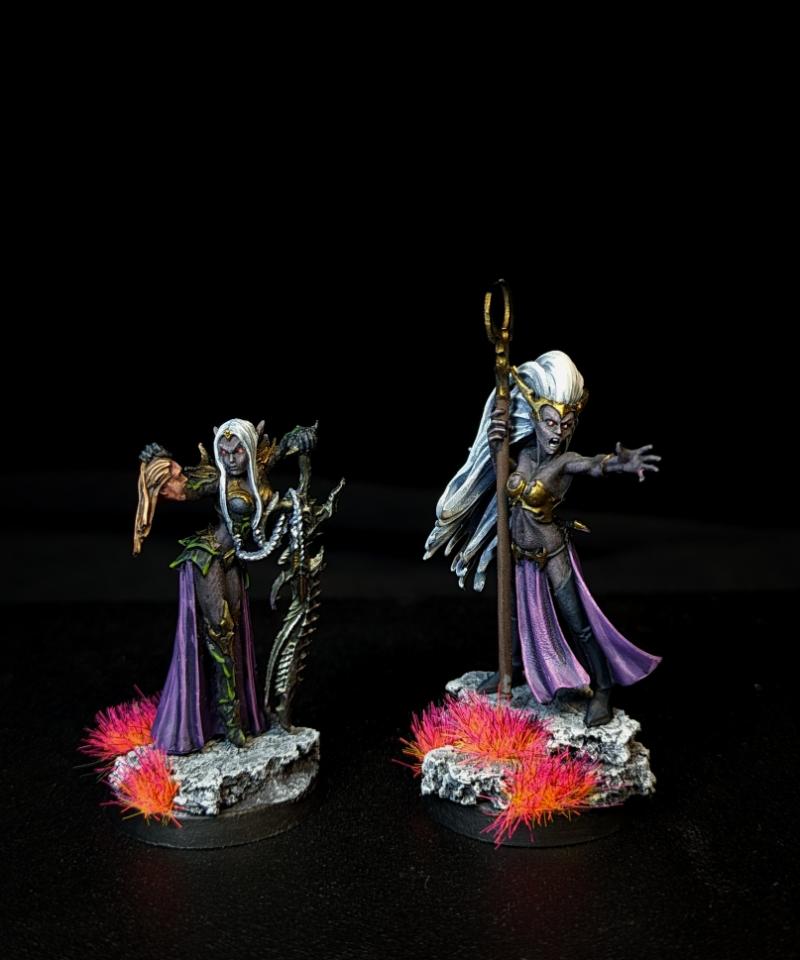
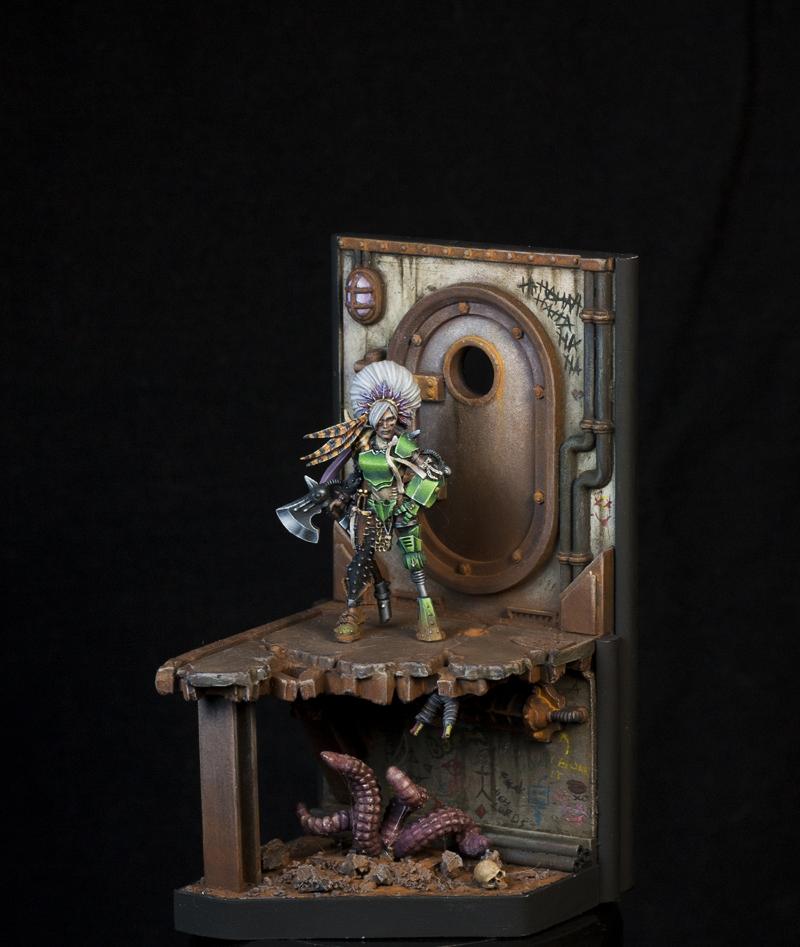
Here's my current setup. I take pictures with a phone or a DSLR camera, depending on the situation.
And in the spoilers, some pictures taken with the said setup:
Spoiler:
Using a phone:
Using a DSLR camera and doing quick edits in Photoshop:
Leopold's tricks in editing are actually pretty much exactly the same I use: lowering the gamma, upping the contrast and cropping (or changing) the size.
Especially my old camera rarely portrays the colors vibrant enough.
Regarding the picture of C'tan:
The picture is very sharp, so that's good!
Try to prevent light coming straight towards the camera (guessing that's a window?). Instead point it from outside of the camera's scope.
You can also try to move the miniature a bit further from the background, to blur it a bit more and make the miniature pop.
Other than that, very nice!
Hope this helps!
This message was edited 1 time. Last update was at 2024/10/01 22:38:58
Nev, Youwashock, Leopold and Josh offered some great tips and covered the most of it already, but to add my two cents:
Firstly, the Warhammer Community's photo guide is not half bad. It has some great tips and covers a lot of stuff from the very basics to a bit more advanced stuff.
You can find it here.
I'm by no means a pro photographer, but here's what I have found to be most important (take them with a grain of salt):
- Get the whole model in focus. This might hard when the model is large or you have a big unit, especially with phone cameras with small lenses
- Make sure that the light is as neutral as possible (close to daylight). Around 5000-6000 Kelvin is usually good, depending on your space. Light provided by reading lamps is too yellow.
- White balance. If you are using a modern phone camera, they usually do this for you. If you are using a DSLR, getting the white balance correctly is a must. I often use a software, such as Photoshop to fix this. Note: By using a software to correct the white balance, you can battle poor lighting conditions in the editing phase!
- Use at least two light sources or a light strip (such as in light boxes) to prevent shadows. Using only one light, however bright it might be, creates hard shadows on the miniature. This leaves many of the details unseen.
- Use a stand or otherwise support the camera or a phone to a table or a tripod etc. If possible, use long exposure to get a crisp image.
Like Nevelon, I too used a light box for quite a long time. Mine was of poor quality however and I'm looking to buy a new one in the future. It really helps, especially in a dark room!
Currently however, I'm using two Ikea lamps with "daylight bulbs" (~5000 Kelvin) to both paint and take my photos. I "borrowed" some white stockings from my girlfriend to cover the lights to works as a "poor mans diffuser" of sorts.
For the background, I'm actually using some of my black T-shirts! Not the best choice by any means, but it's the only thing I have at the moment.
Here's my current setup. I take pictures with a phone or a DSLR camera, depending on the situation.
And in the spoilers, some pictures taken with the said setup:
Spoiler:
Using a phone:
Using a DSLR camera and doing quick edits in Photoshop:
Leopold's tricks in editing are actually pretty much exactly the same I use: lowering the gamma, upping the contrast and cropping (or changing) the size.
Especially my old camera rarely portrays the colors vibrant enough.
Regarding the picture of C'tan:
The picture is very sharp, so that's good!
Try to prevent light coming straight towards the camera (guessing that's a window?). Instead point it from outside of the camera's scope.
You can also try to move the miniature a bit further from the background, to blur it a bit more and make the miniature pop.
Other than that, very nice!
Hope this helps!
Holey smokes I feel like I have a case of starstruck
You guys have so much information and I feel I already have grown as an artist and photographer within one week. I can not wait to see what is to come as I constantly apply this new knowledge.
I'm using some white nonreflective parchment paper so no judgment. I'm wondering though if I should do a window in the roof.
Oh I see, I had a ringlight right at my SCE. So no light in from the front. I get it


 Ultramarines, 3rd Co. and friends, 16k+
  4k
4k  4k Points
 Competition Index



 R
R