Forum adverts like this one are shown to any user who is not logged in. Join us by filling out a tiny 3 field form and you will get your own, free, dakka user account which gives a good range of benefits to you:
No adverts like this in the forums anymore.
Times and dates in your local timezone.
Full tracking of what you have read so you can skip to your first unread post, easily see what has changed since you last logged in, and easily see what is new at a glance.
Email notifications for threads you want to watch closely.
Being a part of the oldest wargaming community on the net.
If you are already a member then feel free to login now.
2012/10/28 13:00:53
Subject: How to paint realistic flames? [HD video tutorial]
Here is a simple tutorial on how to paint the flames. It may be useful for painting Space Maines Legion of the Damned, Eldar, Dark Eldar or Chaos Space Marines. Enjoy.
2012/10/28 15:01:24
Subject: How to paint realistic flames? [HD video tutorial]
As I said in comments, hard to understand what was happening until I turned my head upside down lol.
Will be looking forward to see how you accomplish this effect on miniatures.
2012/10/28 18:38:14
Subject: How to paint realistic flames? [HD video tutorial]


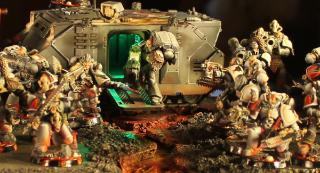
 1500 wip
 500
500
 1000 wip
 2000
2000
 200 on the backburner
 150
150
 next project