| Author |
Message |
 |
|
|
|
|
Advert
|
Forum adverts like this one are shown to any user who is not logged in. Join us by filling out a tiny 3 field form and you will get your own, free, dakka user account which gives a good range of benefits to you:
- No adverts like this in the forums anymore.
- Times and dates in your local timezone.
- Full tracking of what you have read so you can skip to your first unread post, easily see what has changed since you last logged in, and easily see what is new at a glance.
- Email notifications for threads you want to watch closely.
- Being a part of the oldest wargaming community on the net.
If you are already a member then feel free to login now. |
|
 |
2011/12/05 16:51:49
Subject: help enhancing photos
|
|

Dakka Veteran
|
hi i need help enhancing my finished photos in photoshop, so far my past attempts at enhancing new photos that were taken ended in failure. i used to be able to enhance photos though the last time i did an enhancement was back in summer.
|
|
|
 |
|
2011/12/05 18:04:29
Subject: help enhancing photos
|
|

Raging Ravener
|
Hi Cyvash,
Depends on exactly what it is you want to 'enhance' in photoshop. You might be better asking on a photoshop forum but I'm sure there are plenty of people here (including myself) who could help.
What are you trying to achieve?
|
 More than 7pts, less than 7000...just More than 7pts, less than 7000...just 
 4000+ 4000+  2500 2500  2000+ 2000+
|
|
|
|
|
2011/12/05 18:08:41
Subject: help enhancing photos
|
|
Dakka Veteran
|
just an overall enhacne ment just to make the model stand out
this is a basic pic with nothing done to it
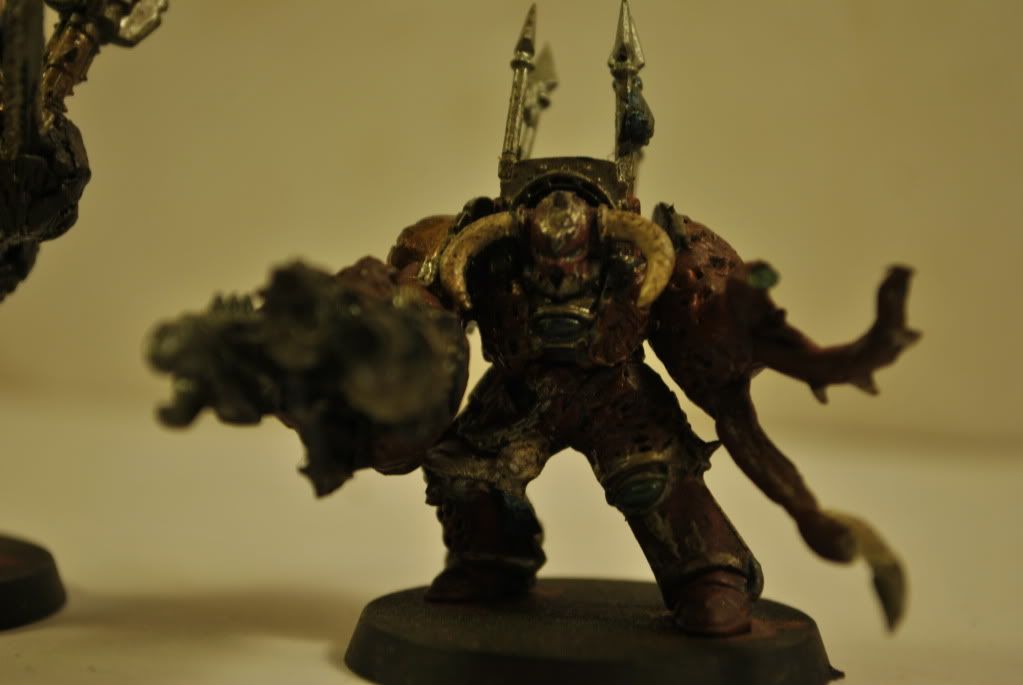
I used a crude homemade light box with some white printerpaper as a background, and using two desk lamps for the light sources
|
|
This message was edited 1 time. Last update was at 2011/12/05 18:10:08
|
|
|
|
|
2011/12/05 18:18:14
Subject: help enhancing photos
|
|
Dakka Veteran
Upper East Side of the USA
|
Well honestly, you need to take a better picture before you worry about Photoshop enchancements.
You need more light, and more of your model needs to be in focus (the light will help with that).
Also, no need to have bits of another model on the edge of the picture, get that guy out of there.
|
|
|
|
|
2011/12/05 18:20:13
Subject: help enhancing photos
|
|
Raging Ravener
|
Okies, can't really help with the blurry mess of a gun there 
Duplicate the layer and run a High Pass on the new layer. Not near my pc at the mo but I'm sure it's under Filters>Other.
Put the settings at around 2 pixels and hit OK. This will change the layer to a grey with nothing much more than the outline showing. Change the blend mode of that layer to overlay and it will sharpen up the picture nicely. If you alter the pixel setting when you run the high pass it will sharpen the image more or less accordingly.
Flatten the image ( CTRL+E) and then use adjustment>contrast or adjustment>levels to pick out the colours more. Maybe Adjustment>brightness to lighten the image too.
Hope that helps 
|
More than 7pts, less than 7000...just
4000+ 2500 2000+
|
|
|
|
|
2011/12/05 18:26:32
Subject: help enhancing photos
|
|
Dakka Veteran
|
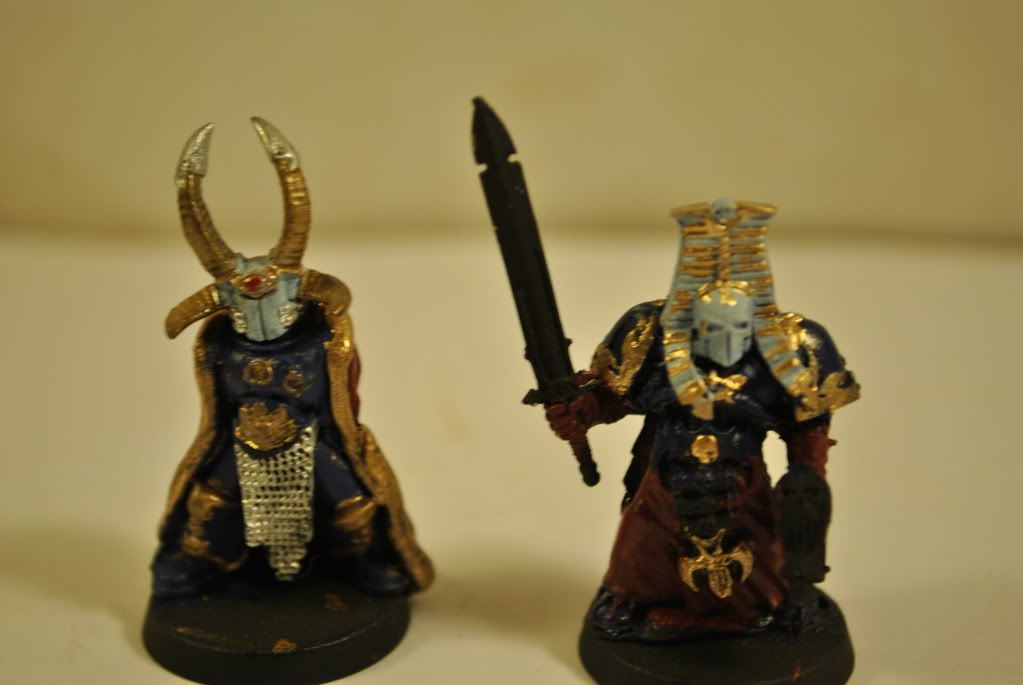
Sorry about the pic quality im not the photographer it is my sister, she has taken better pics before such as this
|
|
|
|
|
2011/12/05 18:44:42
Subject: help enhancing photos
|
|
Ultramarine Master with Gauntlets of Macragge
|
That has a lot more to do with lighting than any Photoshop trickery. I end up with good pictures, but that's because I properly light my photos then adjust the settings in Photoshop so the colors are more accurate.
|
Check out my Youtube channel!
 |
|
|
|
|
2011/12/05 18:53:12
Subject: Re:help enhancing photos
|
|
Lord Commander in a Plush Chair
|
The pictures have be adjusted for colour and contrast but the results aren't great IMO, really you need better lighting to start with. Standard desk lamps aren't very good, it's better to take your photos outdoors. Even when overcast the lighting will be of much higher quality. 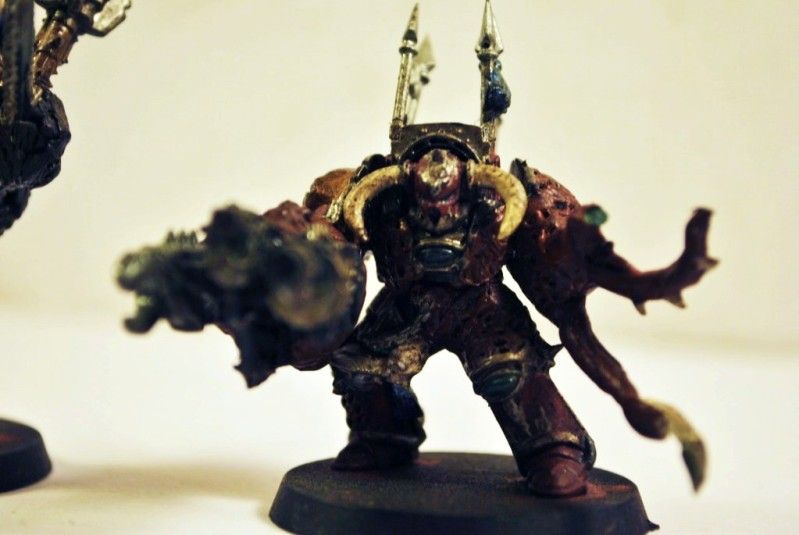 Re-uploaded...
|
|
This message was edited 3 times. Last update was at 2011/12/05 19:02:03
|
|
|
|
|
2011/12/05 18:55:16
Subject: help enhancing photos
|
|
Dakka Veteran
|
.
|
|
This message was edited 1 time. Last update was at 2011/12/05 18:57:12
|
|
|
|
|
2011/12/05 18:55:21
Subject: Re:help enhancing photos
|
|
Ruthless Interrogator
|
Photoshop can help but is not at all necessary. First you have to get a decent photo, and like others have said, it's all about lighting. I took the pictures in this thread using a simple digital camera and an office lamp. Took all of 3 minutes, no editing whatsoever. They're not great photos by any means, but I think they're more than passable (if I may say so myself). I loosely followed this article's advice...hopefully it can be of help to you as well.
|
|
|
|
|
2011/12/05 18:56:08
Subject: help enhancing photos
|
|
Dakka Veteran
Upper East Side of the USA
|
She needs to put a lot more light on the models, to get a faster shutter speed (better for sharpness) and to get a larger depth of field (so guns and capes won't be out of focus).
|
|
|
|
|
2011/12/05 19:05:44
Subject: help enhancing photos
|
|
Dakka Veteran
|
well the desk lamps are 75 watt un-directable light sources, all i have are the two desk lamps and im doing them on the kitchen table still, last time photos were done i didnt have a cheap ass carboard lightbox wrapped in wax paper, her camera and lenses arent really ment for macro shots,
the camrer she used is a Nikon D3000 she got for her photography class
she's told me the lens is the problem for the photo's blurryness because the only lens we have for it is really ment for area shots not macro
|
|
This message was edited 1 time. Last update was at 2011/12/05 19:07:22
|
|
|
|
|
2011/12/05 19:13:21
Subject: help enhancing photos
|
|
Longtime Dakkanaut
|
This is very much a photographer issue rather than a photoshop one or equipment one
The white balance is out for a start, the depth of field is way too tight, they arnt focused well and the exposure is bad.
You also need to move the camera back, your frame is too tight, your photographing the whole mini, not just its face.
|
|
|
|
|
2011/12/05 19:16:42
Subject: help enhancing photos
|
|
Lord Commander in a Plush Chair
|
A camera with a macro setting is essential, but almost all standard cameras come with these so they aren't expensive.
I find that lighting from a lamp always comes out poor. I've taken to using natural light, ie outdoors.
|
|
|
|
|
|
|


