Forum adverts like this one are shown to any user who is not logged in. Join us by filling out a tiny 3 field form and you will get your own, free, dakka user account which gives a good range of benefits to you:
No adverts like this in the forums anymore.
Times and dates in your local timezone.
Full tracking of what you have read so you can skip to your first unread post, easily see what has changed since you last logged in, and easily see what is new at a glance.
Email notifications for threads you want to watch closely.
Being a part of the oldest wargaming community on the net.
If you are already a member then feel free to login now.
I maintain a blog, the link is in my signature. My posts have photos...
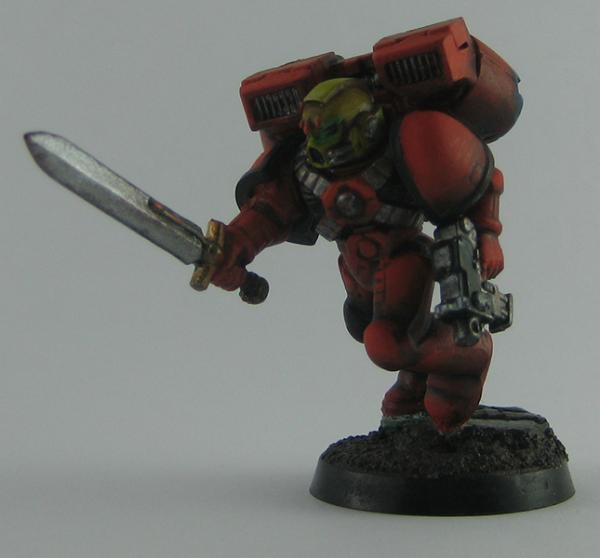
And they are pretty bad. Damn bad in my eyes. It's just so disappointing when the model you lovingly painted doesn't come out the way it looked, in photos.
I use a lightbox, Canon IXUS 70, 3 decent lights and a bit of post photography work.
I turn flash off, turn macro on, set ISO at 80, use a timer to capture and tripod.
I really don't know what I'm doing wrong. The colours always come out darker for some reason in the photos.
If you look at my profile picture (the Ork), the colours are messed up. The yellow came out green (the skin isn't yellow though!). The camo doesn't show up properly.
The main things I think you could do are, get more front lighting on the model. Most of the lighting looks like its coming from behind and shadowing the front.
Also yuor camera will have a white balance function. Cameras use this to account for different colours of light and iot can do funny things to your colours. You should set it to the kind of lighting you are using, or do a manual calibration of what white should look like with a bit of white paper.
Please excuse any spelling errors. I use a tablet frequently and software keyboards are a pain!
Is you lightbox white in color? Could be the problem.
Try putting something black behind the model you don't need any light coming from behind it anyway. Will brighten it up because if the background is white the aperature will think it is light, and close thus darkening the model.
I'm in the same boat, the photo's I take for my blog just don't seem to do the models justice. I've tried homemade lightboxes (i'm strictly an amateur) and frontal lighting from two directions to reduce shadows but my Fujifilm Finepix 14MP camera jst doesn't perform that well even with macro selected.
If I move the camera further away it loses detail.
Make sure your model has sufficient lighting from all sides, but never lacking lighting on the front.
A camera with macro is near essential unless you have a tripod.
Setting the camera to manual and altering it yourself is always wise. Macro setting with a low aperture for single figs and good lighting should only need an exposure time of 1/20 or less, the less light you have, the longer an exposure you are going to need no matter what.
I also just did a tut on how to improve even greyed out shots afterwards if you made a mistake, here
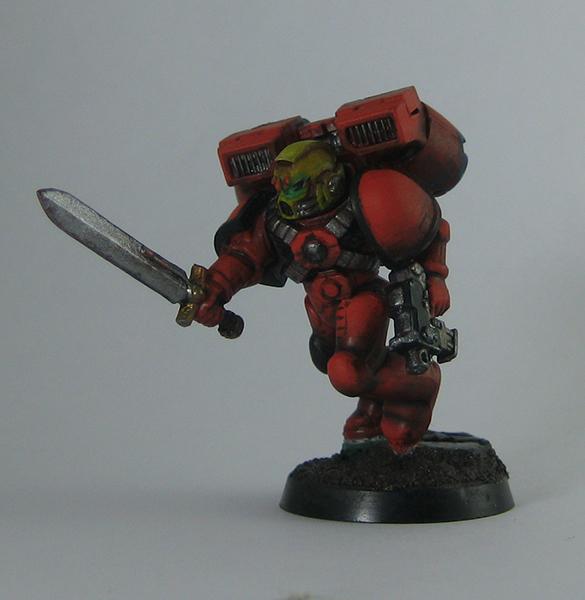
I tried adding some light to the front but it was still less than satisfactory.
This is the one without frontal light:
The one with:
I set the white balance manually every single time, and yet it's still dark.
Help!
Honestly you are doing it correct, but one thing is holding you back.. Take the camera off auto, and put it in manual mode. The problem is this, the meter of the camera(thing that tells it what shutter speed to use) is taking in account for all the light your throwing at it.. It will naturally want to UNDEREXPOSE the picture.. You need to take the reading its giving you and open it open it up 1 - 2 stops.. Meaning if the camera is telling you 1/250 you need to turn the dial til it says 1/60 th of second.. Also draw a simple diagram of your lighting setup (placement of mini, lights and camera).. Feel free to send me a pm, photography is what I do for a living now..
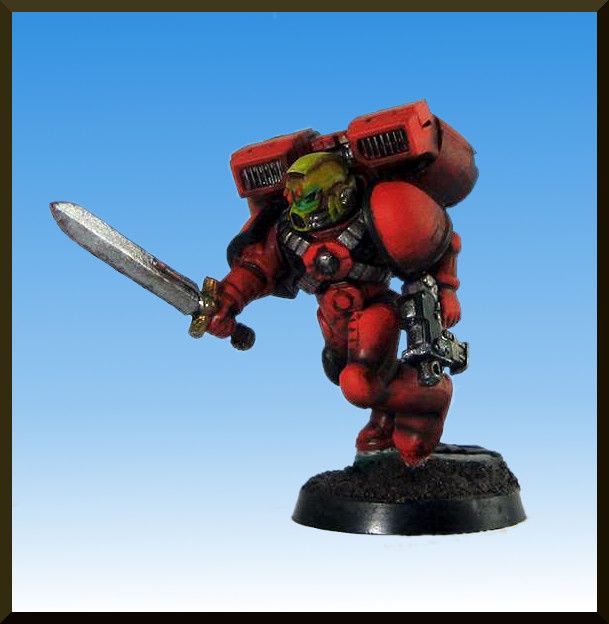
I can wholeheartedly support Ifalna's tutorial. It really helped my photos. And to prove it i've adjusted one of your photos (I hope you don't mind) based on her guide.
I have only adjusted the background, White Balance and added a border. I hope you like it.
I agree with Ruff a couple of posts above. You camera on auto takes average metering of the light in the light tent. Either set it up on manual - close the aperture as much as possible (i.e., get the f-stop to the highest value - f/8, f/11 or somesuch) and play with the exposure time until you get your colors nice and bright or, if you have exposure compensation, overexpose the image by about two f-stops.
As much as I like the fixing the photo problems tutorial, bumping the exposure up in post processing can lead to grainy darks. Your answer is - go manual.
I just downloaded the camera manual, you have the option to go into manual mode and shoot in that mode.. There is two manuals the advanced and basic.. If you download the basic, page12 will tell you about manual mode, if you do the advanced page 44 will tell you how to get into manual mode.. You can find the advanced manual at canon's europe site..
I miss the days we got the Euro naming for cameras (makers used to do two models - model x for the US market and model Y for the rest of the world). Elph/Ixus, Maxxum/Dynax, etc.
Even "crappy point and shoot" cameras can take good shots. You just have to RTFM first. Several times. And then practice lots.
Yes, this takes patience and perseverance. The manual will tell you the minimum range for "macro" mode, also.
And for grud's sake, don't try to hand-hold it for macro work. You might think you have steady hands, but at macro, the slightest wobble will blur your shot - even with Canon's IS system.
I'm OVER 50 (and so far over everyone's BS, too).
Old enough to know better, young enough to not give a ****.
That is not dead which can eternal lie ...
... and yet, with strange aeons, even death may die.
Thank you Ifalna for posting that video. I've been looking for a simple and useful program for adjusting white balance in my photos and I'll give Gimp a try.
A friend of mine has been pestering me to get Lightroom, but I'm not prepared to shell out that much money for a full photo editing suite when all I need is a white balance tool.
Pancritic wrote:Thank you Ifalna for posting that video. I've been looking for a simple and useful program for adjusting white balance in my photos and I'll give Gimp a try.
A friend of mine has been pestering me to get Lightroom, but I'm not prepared to shell out that much money for a full photo editing suite when all I need is a white balance tool.
Easiest way to fix your white balance issues is to use the presets and not auto white balance.. Besides that shooting in raw is the second easiest way to deal with white balance..
Thats a good picture. It could potentially be a bit brighter, but its certainly much clearer than before. Also there are some visible mould lines on the pistol
Please excuse any spelling errors. I use a tablet frequently and software keyboards are a pain!


 Cadre Coronal Afterglow w1;d0;l0